


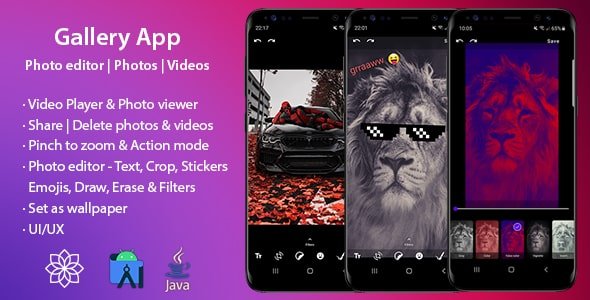
Description
Gallery App – Photo editor | Photos | Videos
Photos
Number of photos
Pinch to zoom in/out – spans 2,3,4,5 and 6 columns
With 2 columns, the user will see the title and size of a photo
Select multiple photos for delete/share
Albums
Last photo of album, title and number of photos
Pinch to zoom in/out – LinearLayout & GridLayout | spans 2 and 3 columns
In LinearLayout mode user will see the size of a album
Videos
Number of videos
Pinch to zoom in/out – LinearLayout & GridLayout | spans 2, 3 and 4 columns
In LinearLayout & GridLayout with 2 and 3 columns mode user will see duration and size of a video
Select multiple videos for delete/share
Video Player
Play/Pause video
Mute the audio
View in landscape mode
Share
Delete
Mode full screen
Video seekbar
Progress and video duration
Photo Viewer
Set as wallpaper (Home screen, lock screen or both)
Share
Delete
Add text
Crop
Add stickers
Add emojis
Paint with different colors, size and opacity
Eraser
Undo and redo option
Filters
Save changes
Photo Editor – TEXT
Add text with different colors
Scale gesture
Delete
Photo Editor – CROP
Crop by aspect ratio
Crop by gesture
Rotate and rotate by gesture
Flip and flip by gesture
Scale and scale by gesture
Photo Editor – STIKERS
Scale gesture
Super easy to add new stickers
Delete
Photo Editor – EMOJIS
Scale gesture
Delete
Photo Editor – PAINT
Brush preview
Change brush size
Change brush color
Change brush opacity
Photo Editor – FILTERS
None
Brightness with slider
Contrast with slider
Saturation with slider
Hue with slider
White balance with slider
Gamma with slider
Blur with slider
Gray scale
Colors
False color with slider
Vignette with slider
Invert
Pixel with slider
Sepia with slider
Sketch
Toon with slider
Swirl with slider
Luminance with slider
Crosshatch with slider
Sobe
Halftone with slider
Kuwahara with slider








There are no reviews yet.